Cases and Claims
How structured argumentation works — creating Cases, taking positions with Claims, and how discussion fits in.
Arguments, Not Threads
If you’ve used a forum before, you’re familiar with the basic pattern: someone starts a topic, people reply, and the conversation scrolls downward. The problem with that model for argument is that strong positions get buried under reactions, tangents, and “me too” replies.
The argument engine handles this differently. Instead of one long thread, arguments are structured into Cases and Claims.
Cases
A Case is a question or topic that needs argument. If a forum topic says “let’s discuss X,” a Case says “let’s argue X.”
Cases can be broad or narrow:
- A broad Case might ask “What should our policy be on remote work?”
- A narrow Case might ask “Should we require cameras on during meetings?”
Cases can also nest. A broad Case can contain sub-Cases, letting you break a complex question into focused debates without losing the connection between them.
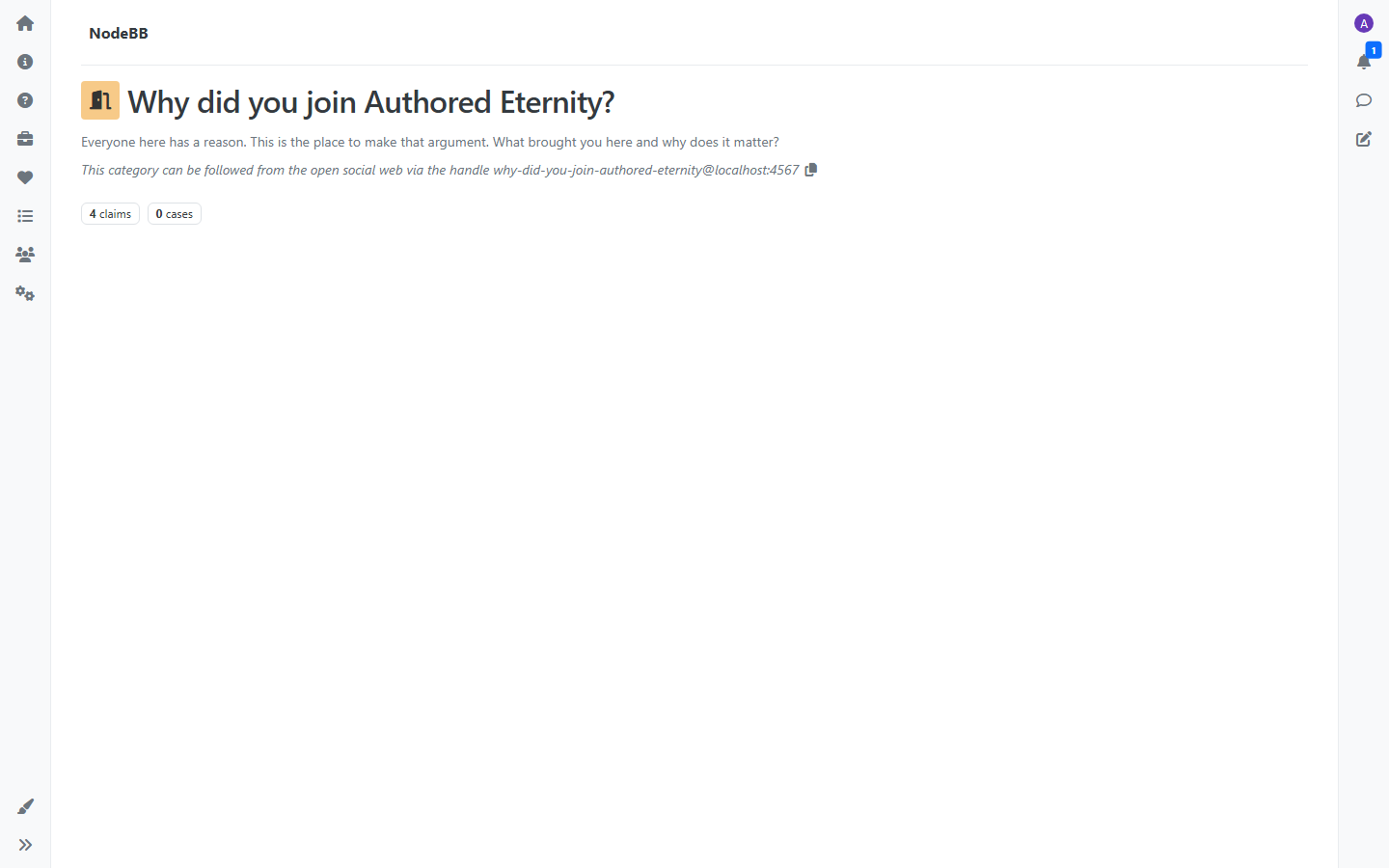
A Case on its own doesn’t take a position — it frames the question. The arguments live in Claims.
Claims
A Claim is a positioned argument — explicitly for or against a Case. When you create a Claim, you choose your position and make your argument.
This is the key difference from a standard forum reply. A Claim isn’t a reaction to someone else’s post. It’s a standalone argument that takes a side. When someone browses a Case, they see a variety of distinct positions — not a thread where the first reply dominates everything below it.
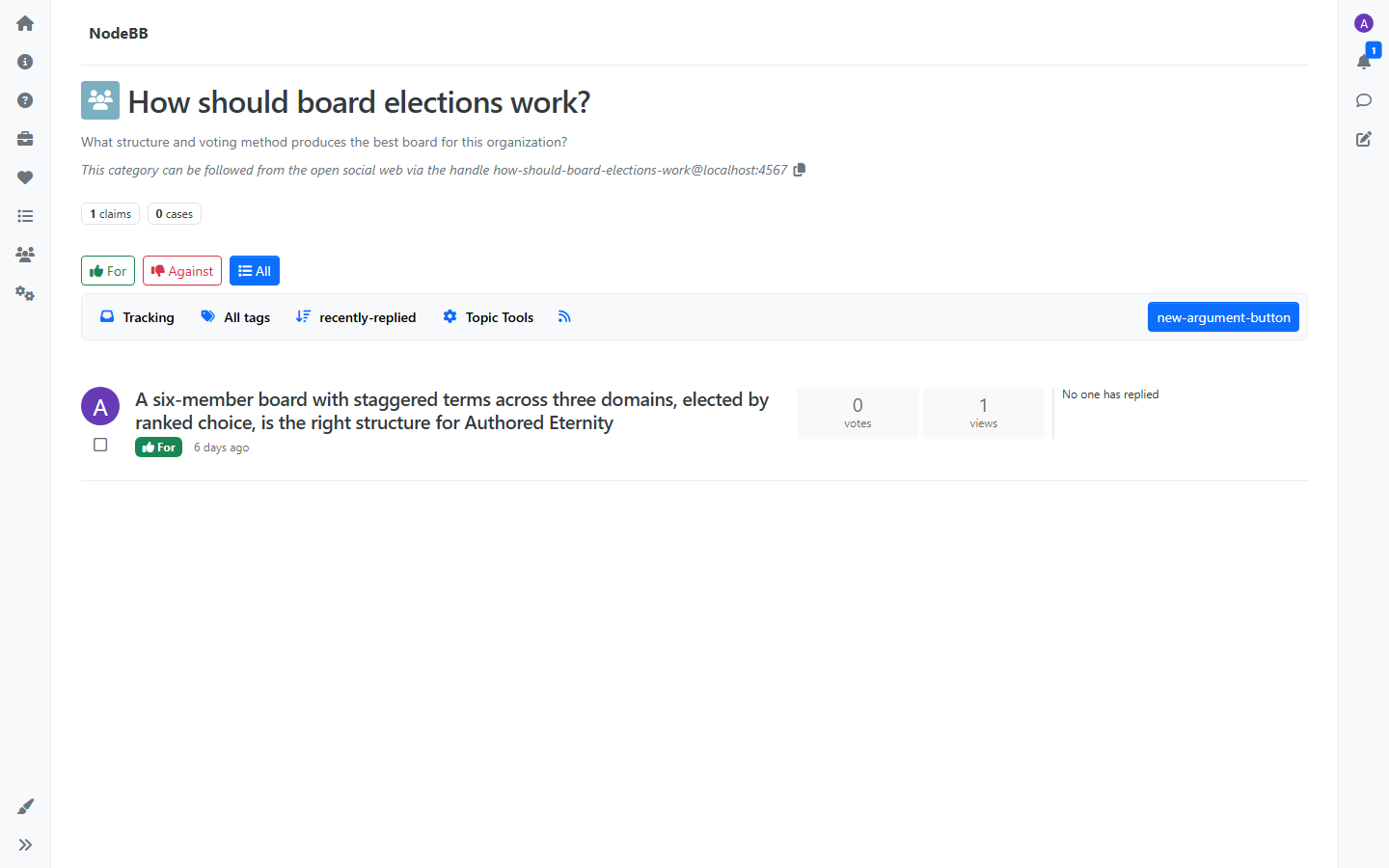
What you can do with Claims
- Vote on Claims with thumbs up or down — surfacing the strongest arguments
- Fork a Claim to create a variant — take someone’s argument and refine it, extend it, or take it in a different direction
- Merge related Claims when arguments converge
- Tag Claims for organization and discovery
- Follow Claims to track discussion on arguments you care about
- Bookmark Claims you want to reference later
Because Claims persist, future visitors to a Case find the existing arguments first. If a strong argument already exists, the natural move is to build on it rather than restate it.
Moderation
Claims can be pinned to the top of a Case when they represent key positions, or locked to prevent further replies when a discussion has run its course. Moderators and group owners have access to these tools from the Claim’s menu.
Discussion
Discussion lives underneath individual Claims, not at the Case level. When someone wants to react to an argument, challenge a specific point, or ask a clarifying question, that conversation happens in the Claim’s discussion thread.
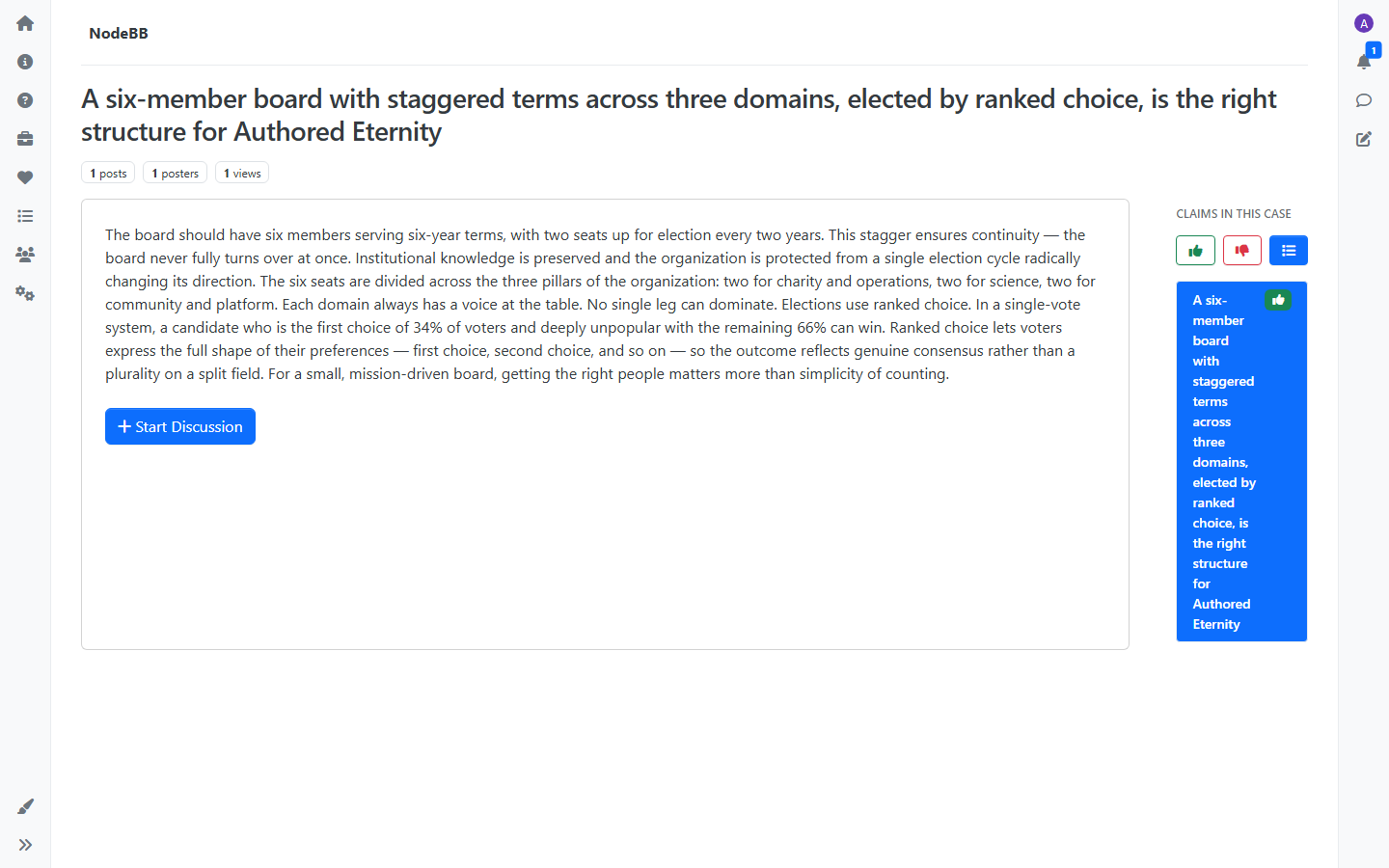
This separation matters. The Case view stays clean — you see arguments. The discussion view goes deep — you see the back-and-forth on a specific position. The two don’t compete for space.
The Flow
- Someone creates a Case — framing a question that needs argument
- People create Claims — taking positions for or against
- Discussion happens under each Claim — reactions, challenges, follow-ups
- Over time, the strongest arguments surface and get built upon
The goal is that whether you visit a Case today or a year from now, you find the best arguments the community has produced — not just the most recent ones.